Docs
Checking a video
How an agent that can't watch a video still sees it, and what each check looks for.
How does the agent see the video?
A coding agent can’t watch a video. So explainroo turns the video into things the agent can look at. There are still pictures, contact sheets and reports. The same tools help you when you change a video yourself.
How do I see single frames?
node bin/explainroo.js still videos/dns                 # the end of each scene
node bin/explainroo.js still videos/dns intro@2.5 12.0  # 2.5 s into "intro", and 12 s into the video
The PNG files land in out/stills/. A time can be written in a few ways. A plain number is seconds into the video. scene or scene@end is the moment a scene is fully built. scene@start is its first moment. scene@2.4 is 2.4 seconds into the scene.
What is a contact sheet?
A contact sheet puts many frames of the video on one picture. Under each frame it prints the scene and the time.
node bin/explainroo.js sheet videos/dns                  # the whole video
node bin/explainroo.js sheet videos/dns --scene resolver # one scene over time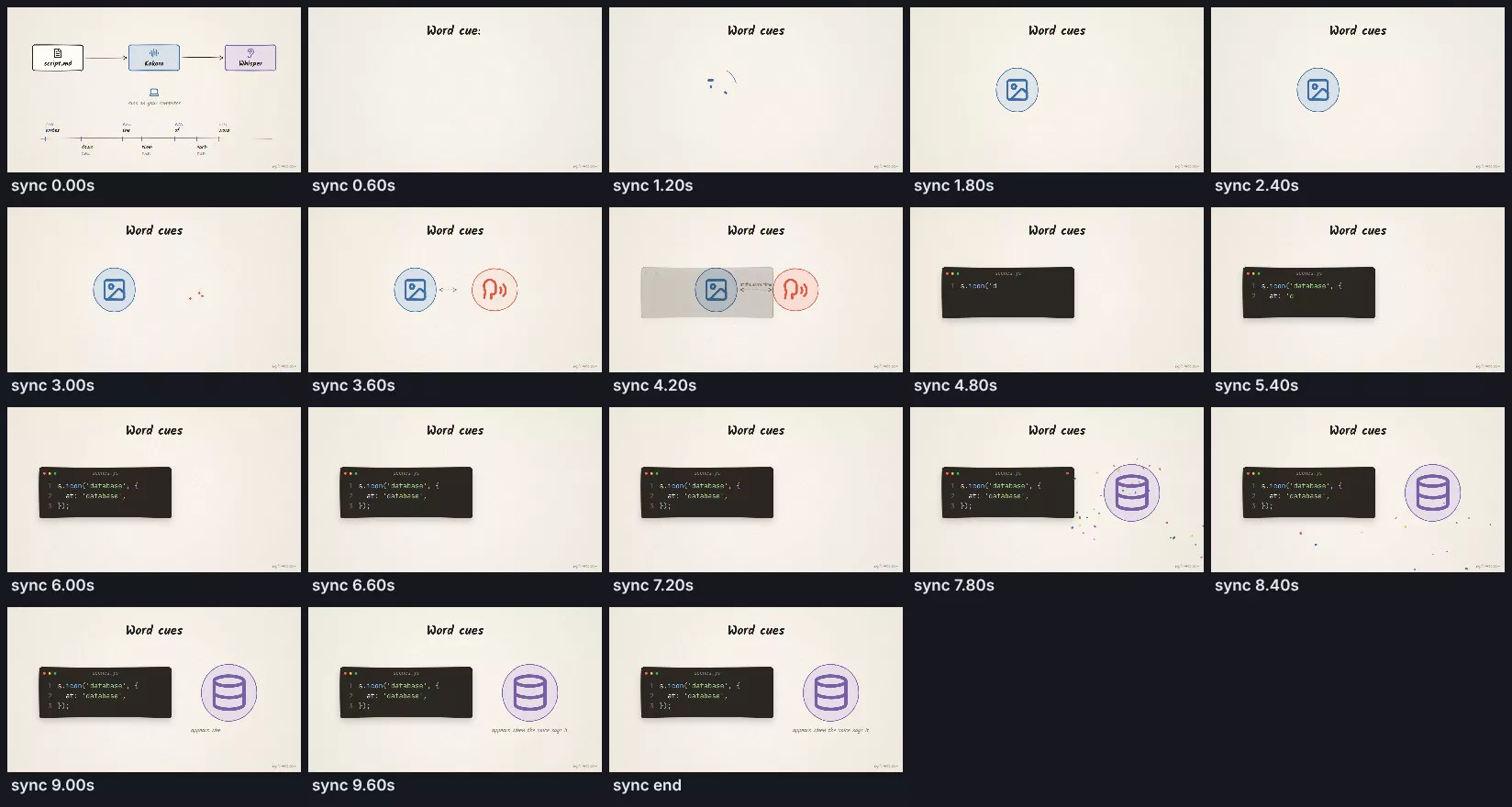
With one look you can see whether something new appears every few seconds, and whether a scene builds up in the right order.
What does check find?
node bin/explainroo.js check videos/dnscheck draws every scene at many points in time and looks for these problems:
- text that runs off the frame or sits too close to the edge
- text on top of other text
- text that is too small to read, or too close in color to its background
- code lines that are wider than their window
- elements that are timed after their scene has ended
- errors in
scenes.js, like a word cue that is not in the narration or an icon name that doesn’t exist. It also lists close matches - words the voice said differently from the script, and what it heard instead
- long stretches where nothing new appears. This one is only a hint
Fix errors and warnings before you render. Hints are up to you.
What does verify check?
node bin/explainroo.js render videos/dns
node bin/explainroo.js verify videos/dns
verify looks at the finished MP4. It measures how loud it is and how high the peaks go. It looks for black frames and long silence. It also listens to the finished sound to make sure the voice is still clear over the music and the sound effects. It saves what it found in out/report.json.
Can I watch it while I edit?
node bin/explainroo.js preview videos/dnspreview opens a page in your browser. It shows the video, a timeline and the list of scenes. When you save script.md or scenes.js, the page reloads. Space plays and pauses. The left and right arrow keys jump one second. Comma and period go one frame back or forward. The square brackets jump to the scene before or after.
render --draft makes a quick video at half size. Use it when you want to watch the video with sound before the final render.